
Installing a Hungarian keyboard onto your Mac device is easy to do and it’s completely free. This will allow you to type in the Hungarian language.
This simple guide will show you step by step how you can install the Hungarian keyboard onto your Mac.
How To Install A Hungarian Keyboard For Mac
To install a Hungarian keyboard onto your Mac, please follow the steps below.
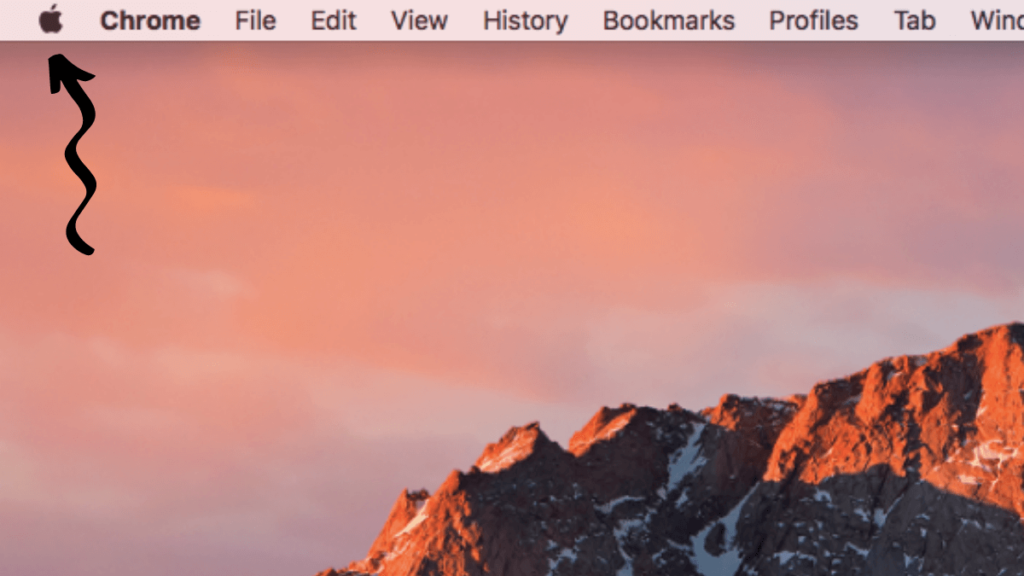
- Click on the apple icon in the top left corner of the screen.
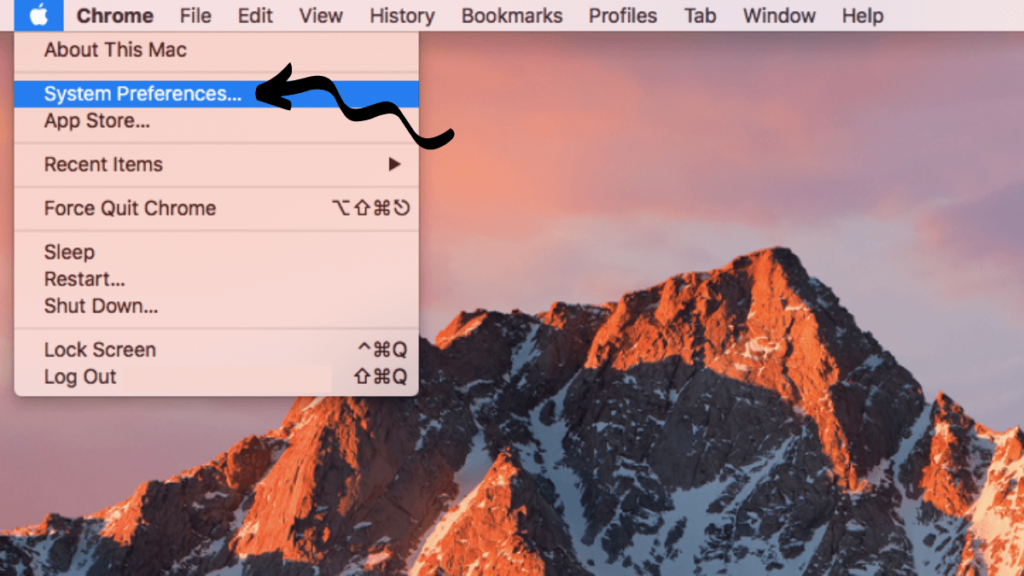
- Select ‘System Preferences’.
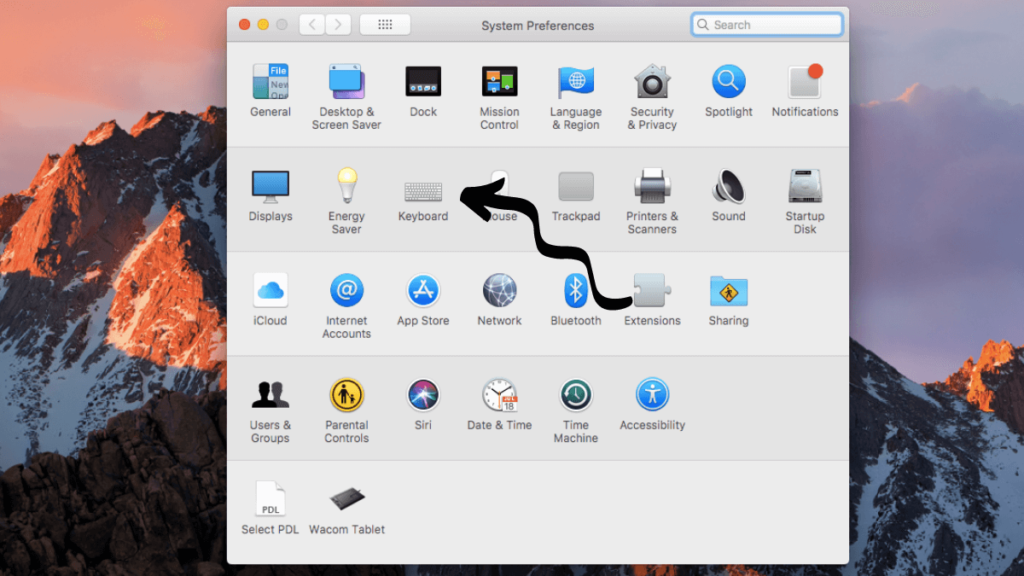
- Select ‘Keyboard’.
- Select ‘Input Sources’.
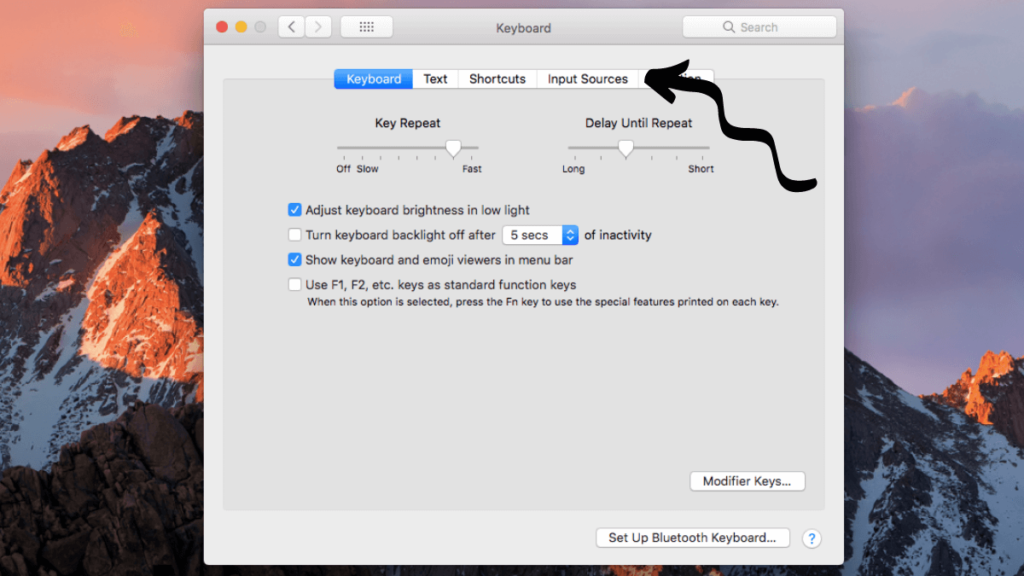
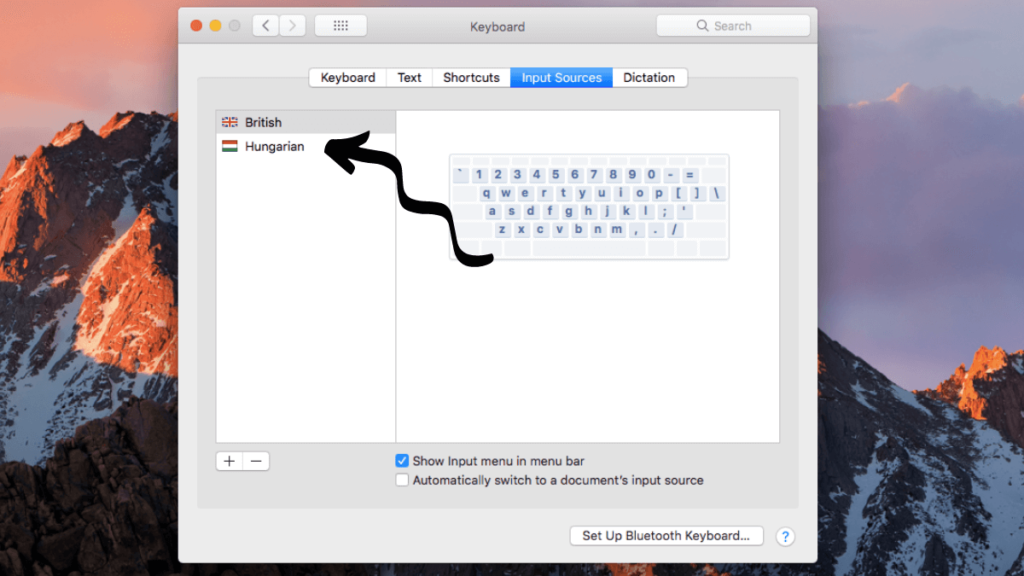
- This screen will show any keyboards that you currently have installed.
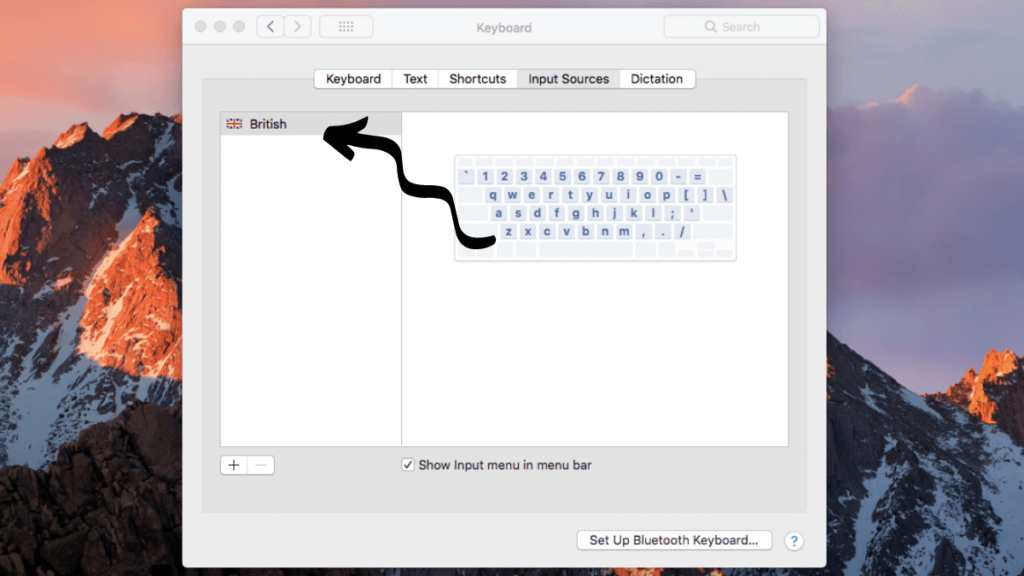
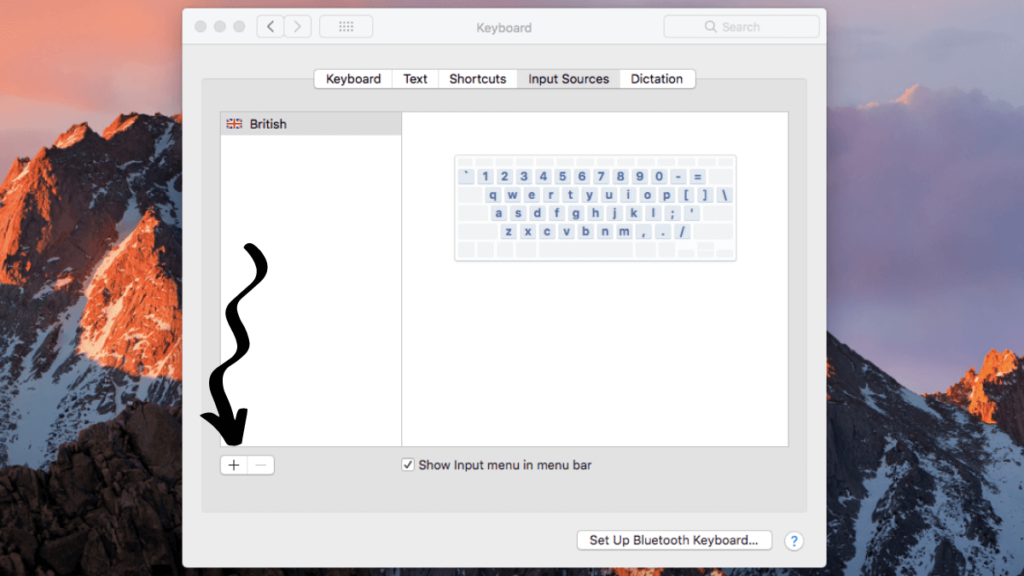
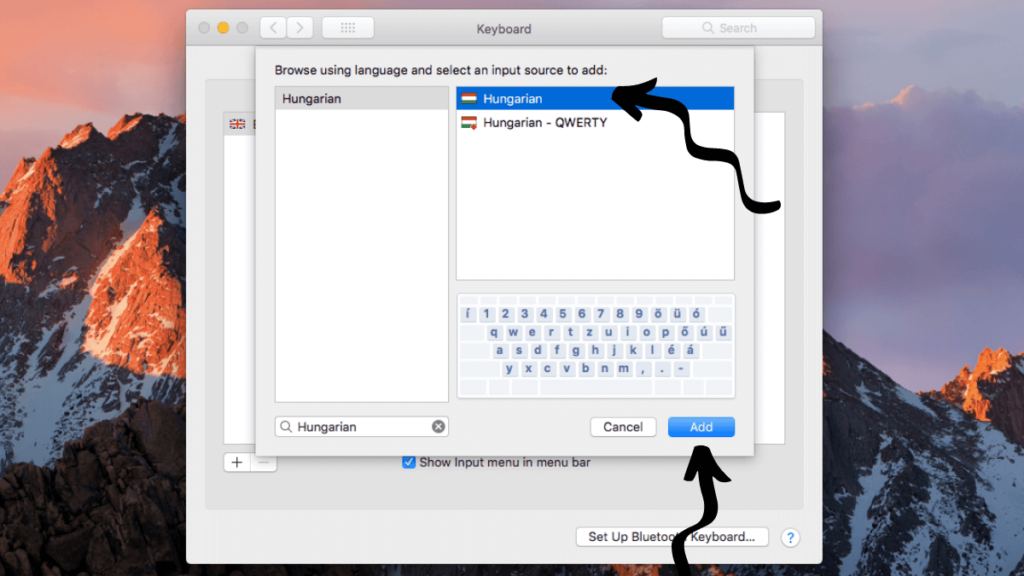
- Click the ‘+’ icon.
- This will bring up a list of all the possible keyboard options.
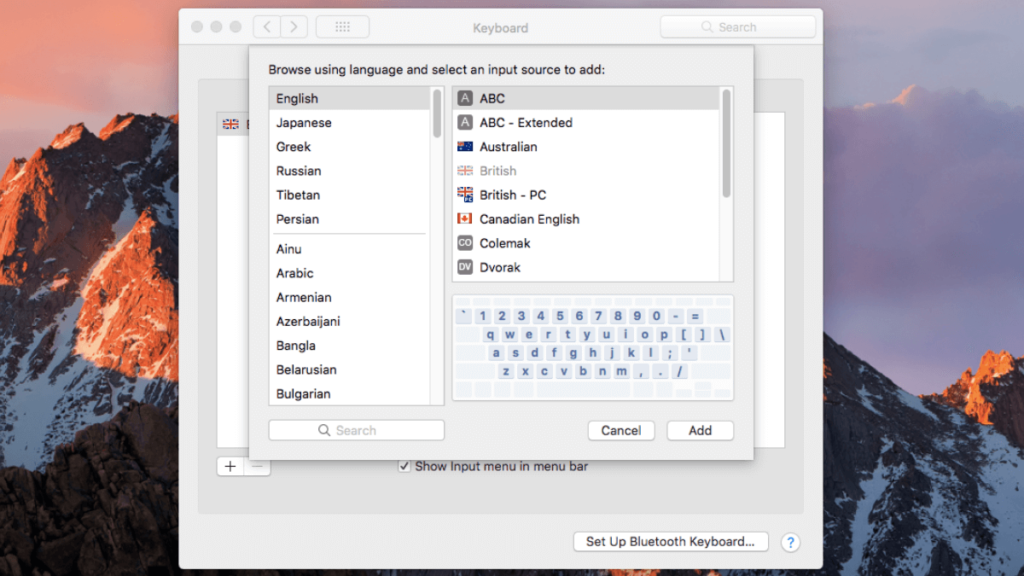
- Type in Hungarian to bring up the Hungarian keyboard. Don’t press enter, just type in the word ‘Hungarian’.
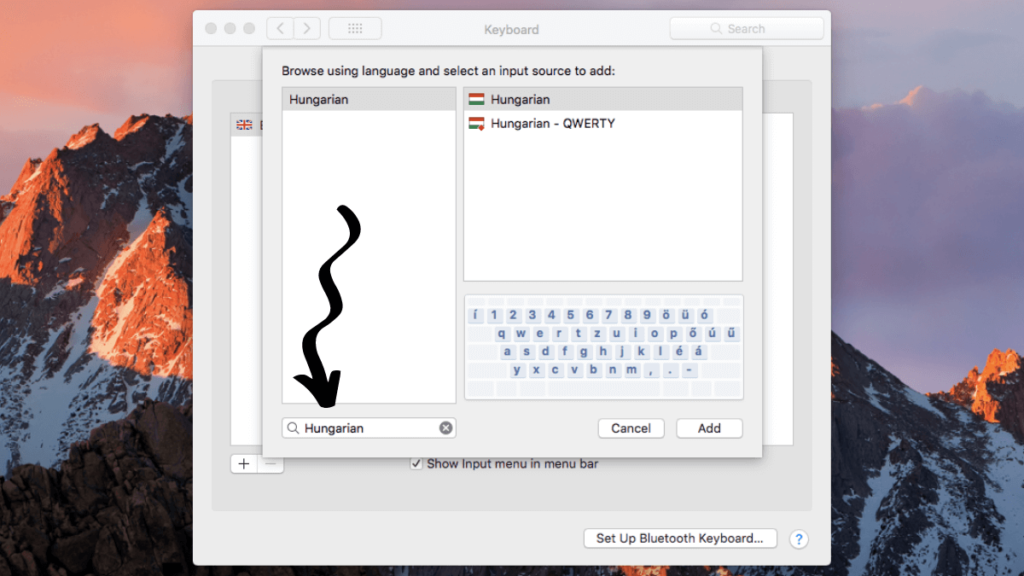
- Select the ‘Hungarian’ option and then select ‘add’.
- ‘Hungarian’ should now show in the list of keyboards that you have installed.
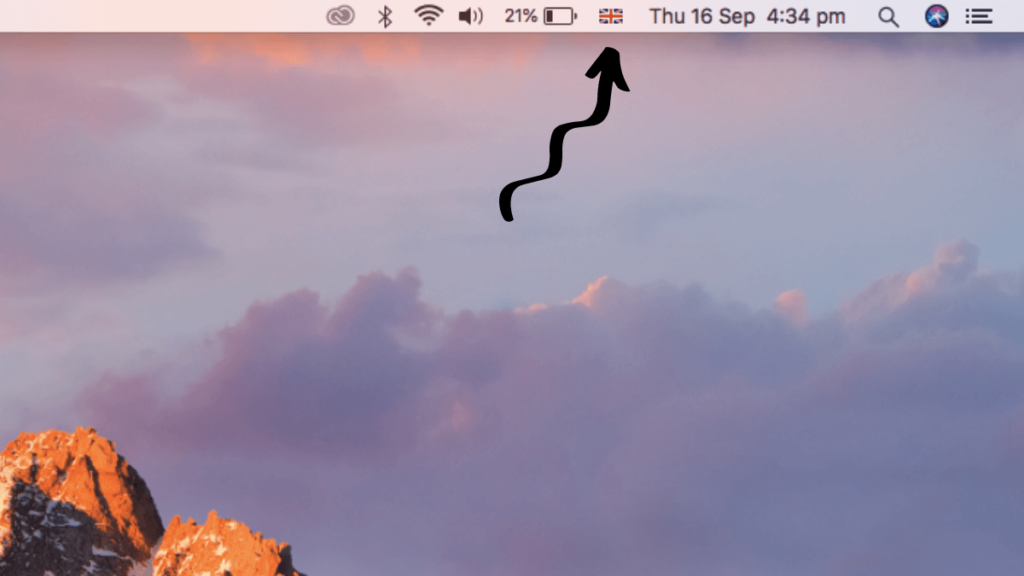
- To use the Hungarian keyboard, select the flag icon in the top right corner – depending on which keyboard you have installed, it may show as a symbol instead.
- Select ‘Hungarian’ to switch your keyboard to Hungarian.
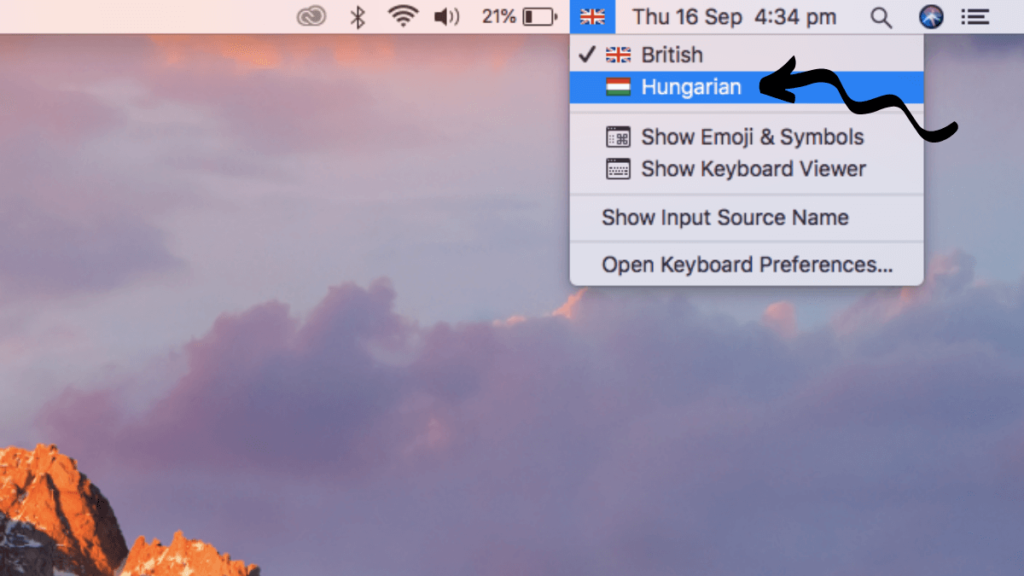
- If you start typing, you will now start typing in Hungarian so if you’re already familiar with the Hungarian keyboard you’re good to go.
- If you need help on where the icons are, select the flag icon again and select ‘Show Keyboard Viewer’.
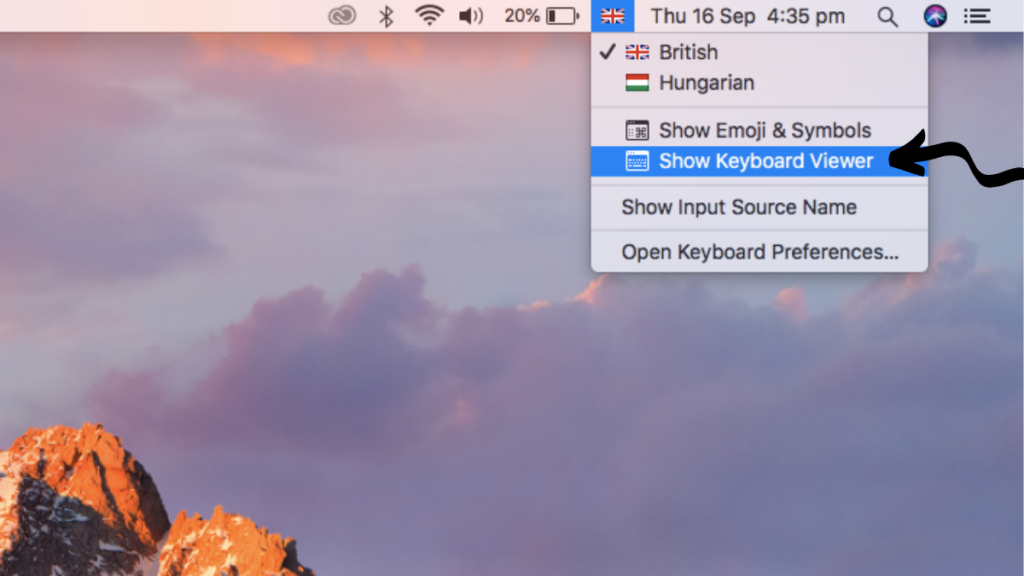
- This will show the keyboard on the screen so you know where each key is.
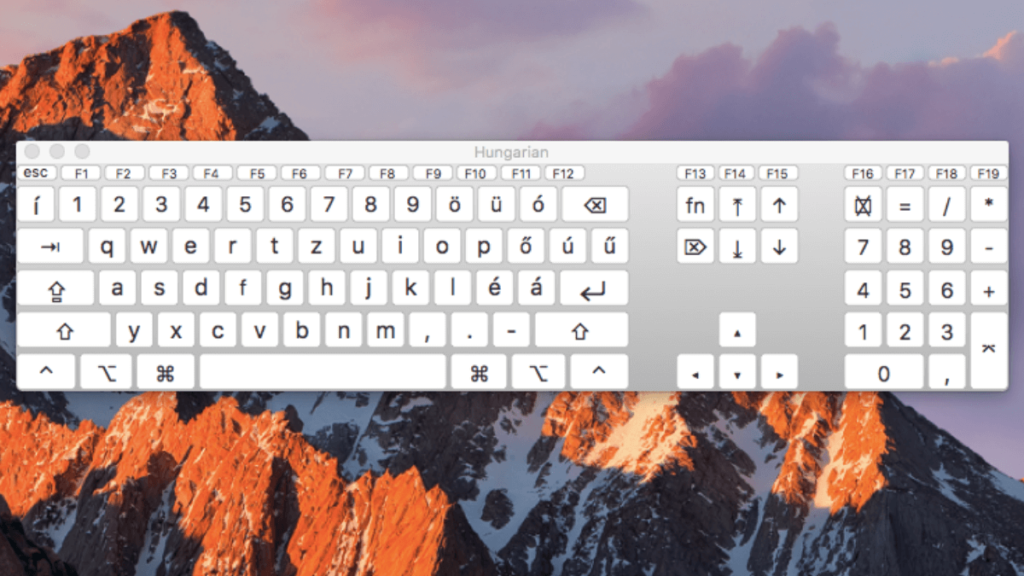
- You can then either type with your physical keyboard or select the letters on the keyboard viewer.
Thanks for reading this guide on how to add a Hungarian keyboard to your Mac. You should now be able to type in Hungarian.
You can also install the Hungarian keyboard on your other devices:
Related Posts: